Tumble Dryers BUSH TDTE Heat Pump Tumble Dryer
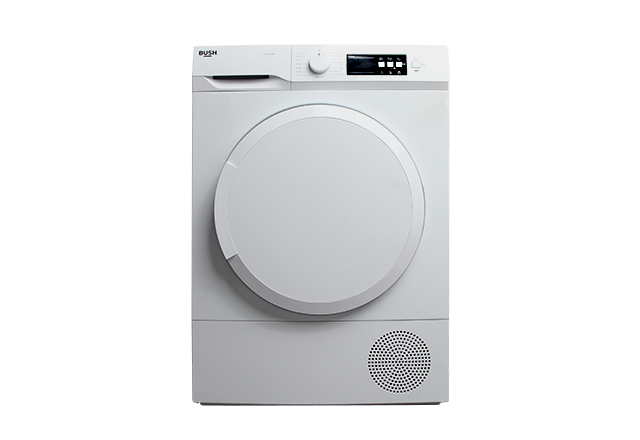
Help & Support for your Tumble Dryers BUSH TDTE Heat Pump Tumble Dryer
- Preparing the clothing for the tumble dryer
Delicate, embroidered, woollen/silk, expensive clothing are not suitable for drying in the tumble dryer.…
- Programme Selection Knob
Off - Used to turn off the tumble dryer…
- Additional function buttons
Delay Start – Used to delay the start time of the drying cycle.…
- Selecting a drying cycle
Caution: Never open the door while a drying cycle is running. If you do, do not keep it open for a long period of time. Press Start/Pause to resume the drying cycle.…
- Electronic indicator symbols / indicators
Delay timer indicator – illuminates when the delay timer has been activated.…
- Delay start timer
Use this function to set a delay timer and can be set for up to 24 hours. The selected drying cycle will commence when the delay timer had ended.…
- Turning the buzzer on and off
The tumble dryer will beep if an additional button is pressed, or if the programme selection knob is turned during the drying cycle The tumble dryer will beep at the end of the drying cycle. Th…
- Turning the child lock on and off
To avoid programme flow from being affected if the additional function buttons are pressed or programme selection knob is turned when performing a drying cycle in your machine, a child lock is availa…
- Power saving mode
When the tumble dryer has been in stand-by mode for 15 minutes, it will go into power saving mode and display 3 dashes on the control panel .…
- Setting the drying level function
Use the drying level function to adjust the drying time of the clothing. There are 3 extra settings in addition to the standard setting. Note: This function must be selected before the drying cycl…
- Setting the anti-crease function
At the end of the drying cycle if the door is not opened, the anti-crease cycle will run for 1 hour. You can select the anti-crease function, the cycle will then run for 2 hours.…